
Team
Workload and overlaps
Who is busy when, and who has two things at once. The workload panel counts each person's working days per period; Resolve overlaps spreads double bookings out in one step.
The workload panel
Display → Workload opens a panel under the chart with one row per person and one cell per day, week or month (it follows the zoom). It scrolls with the timeline, and the busiest people are at the top.
| Cell | Means |
|---|---|
| Green | Up to the working days of the period: the person has at most one issue at a time |
| Orange | More than the working days: some of their issues overlap |
| Red | More than one and a half times: heavily overbooked |
| The number | Working days of scheduled issues in that period |
- Parents and milestones do not count, so work is counted once.
- Issues without an assignee or without dates are left out.
- Hover a cell for the exact numbers. The panel shows up to eight people at once and scrolls for more.
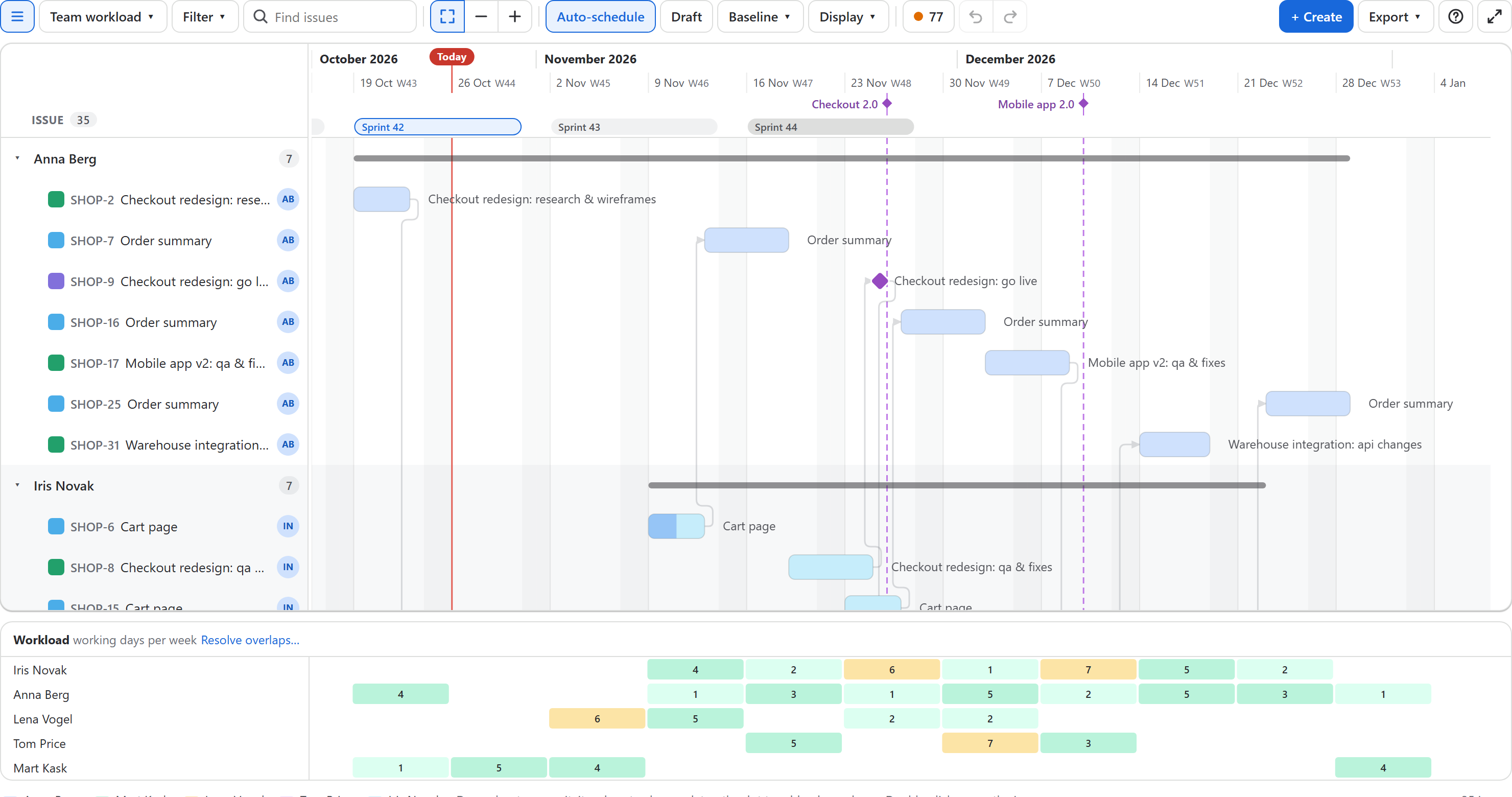
Grouping by assignee (Display → Group by → Assignee) and coloring by assignee make the same picture on the chart itself. Save it as a view such as Team workload for the weekly planning meeting.
Resolve overlaps
When someone has two issues at the same time, Resolve overlaps… appears in the workload panel and in Plan health. It spreads each person's work out so they do one issue at a time:
- Of two overlapping issues, the one that starts later moves to the person's first free time that is long enough for it, keeping its length. On the same start day, the higher-ranked issue keeps its place.
- Issues in progress or done stay where they are, and so do issues that ended before today.
- Nothing moves earlier than it is.
- What waits for a moved issue follows it, so dependencies hold; if that creates a new overlap, it is resolved too.
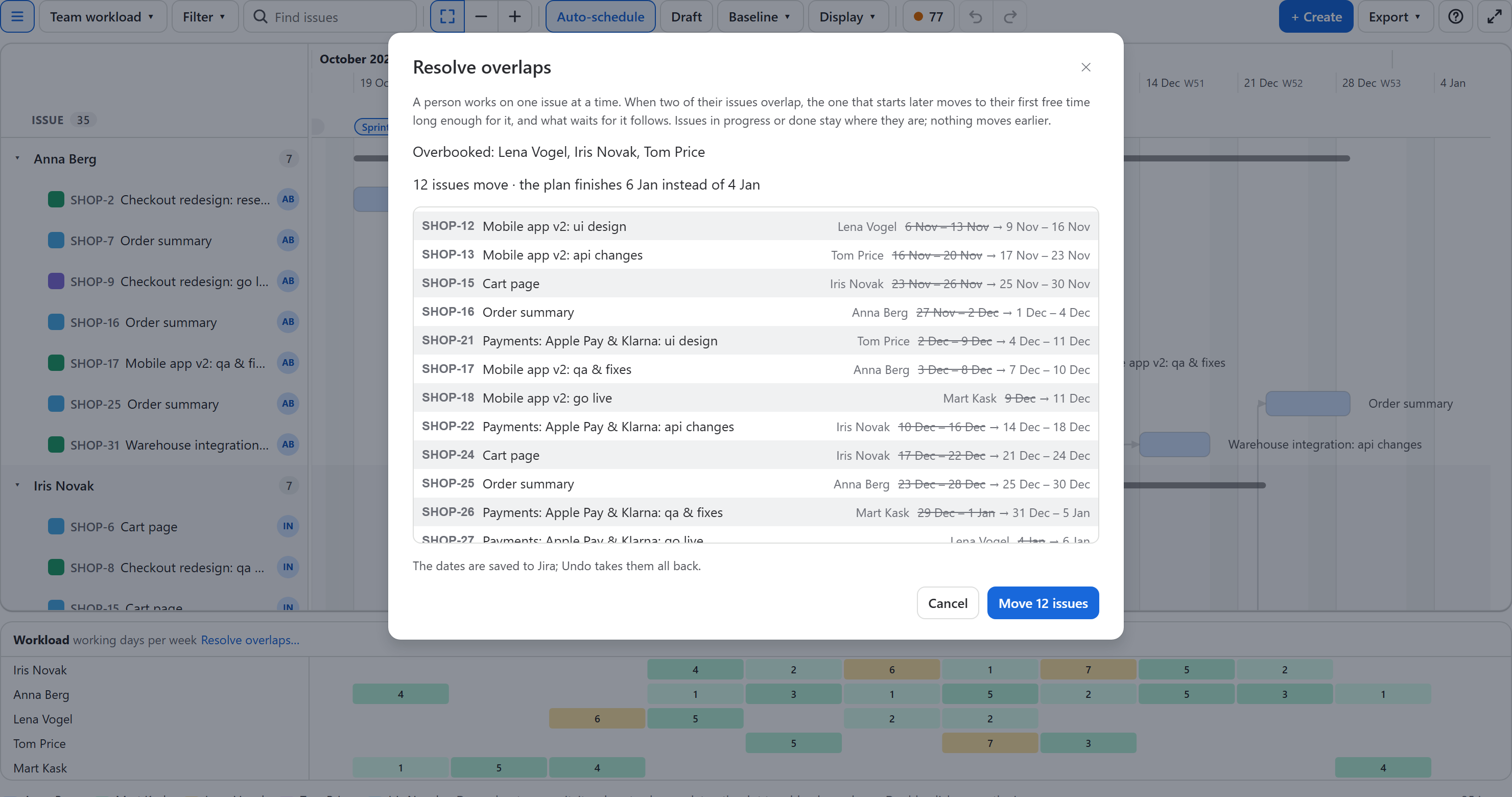
The dialog names the overbooked people, lists every move (old dates struck through, new dates after) and says how the finish date changes. Move N issues writes them as one step: one Undo takes them all back. In draft mode the moves go into the draft, to try before publishing.
Before you resolve
Overlaps between issues already in progress cannot be moved; reassign one of them in the details panel instead. Unassigned issues are never queued, so assign the work first for a realistic plan.