
Use it
Gherkin export
When the team automates its acceptance tests, start from the criteria the story already has.
On the issue, click Gherkin.
Click Copy and paste the text into a .feature file.
If the browser does not allow copying, the text is selected for you: press Ctrl+C (⌘C on a Mac).
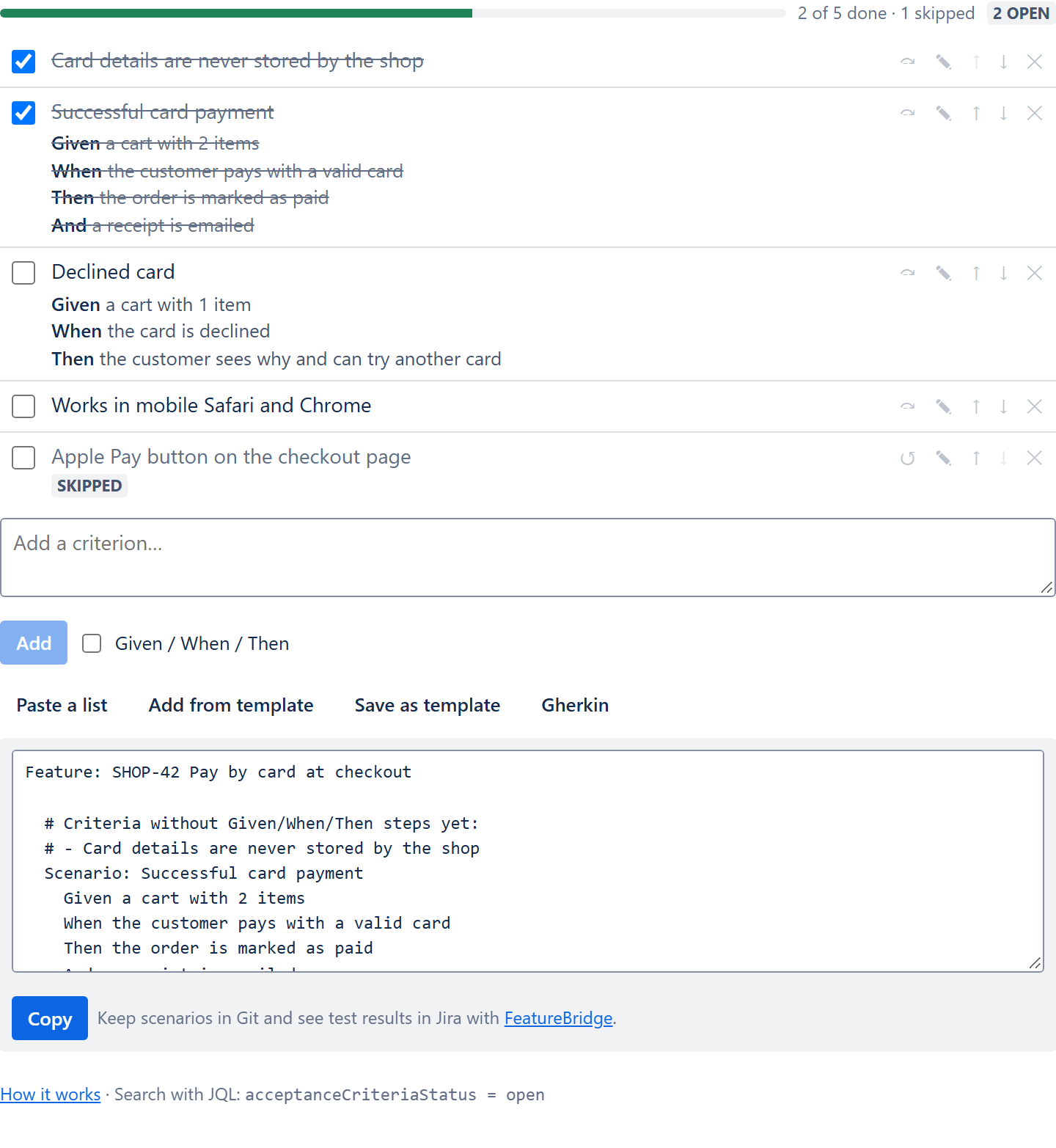
What the file contains
- Feature: the issue key and summary.
- Each Given/When/Then criterion becomes a Scenario with its title (or "Criterion n"); extra lines of a step become And.
- Plain criteria are listed as comments, ready to be turned into steps.
- All criteria are exported, whatever their status.
Keep the scenarios in Git
FeatureBridge (our paid app for BDD teams) edits scenarios on the Jira issue, keeps them in two-way sync with .feature files in GitHub, GitLab or Bitbucket, and shows CI results per scenario. Both apps can be installed on the same site.