
Use it
Paste a list
Criteria often already exist somewhere: in the story description, a Confluence page, a spreadsheet or a .feature file. Paste them in one go.
Click Paste a list under the add form.
Paste the text and click Add all.
The new criteria are added after the existing ones; nothing is replaced.
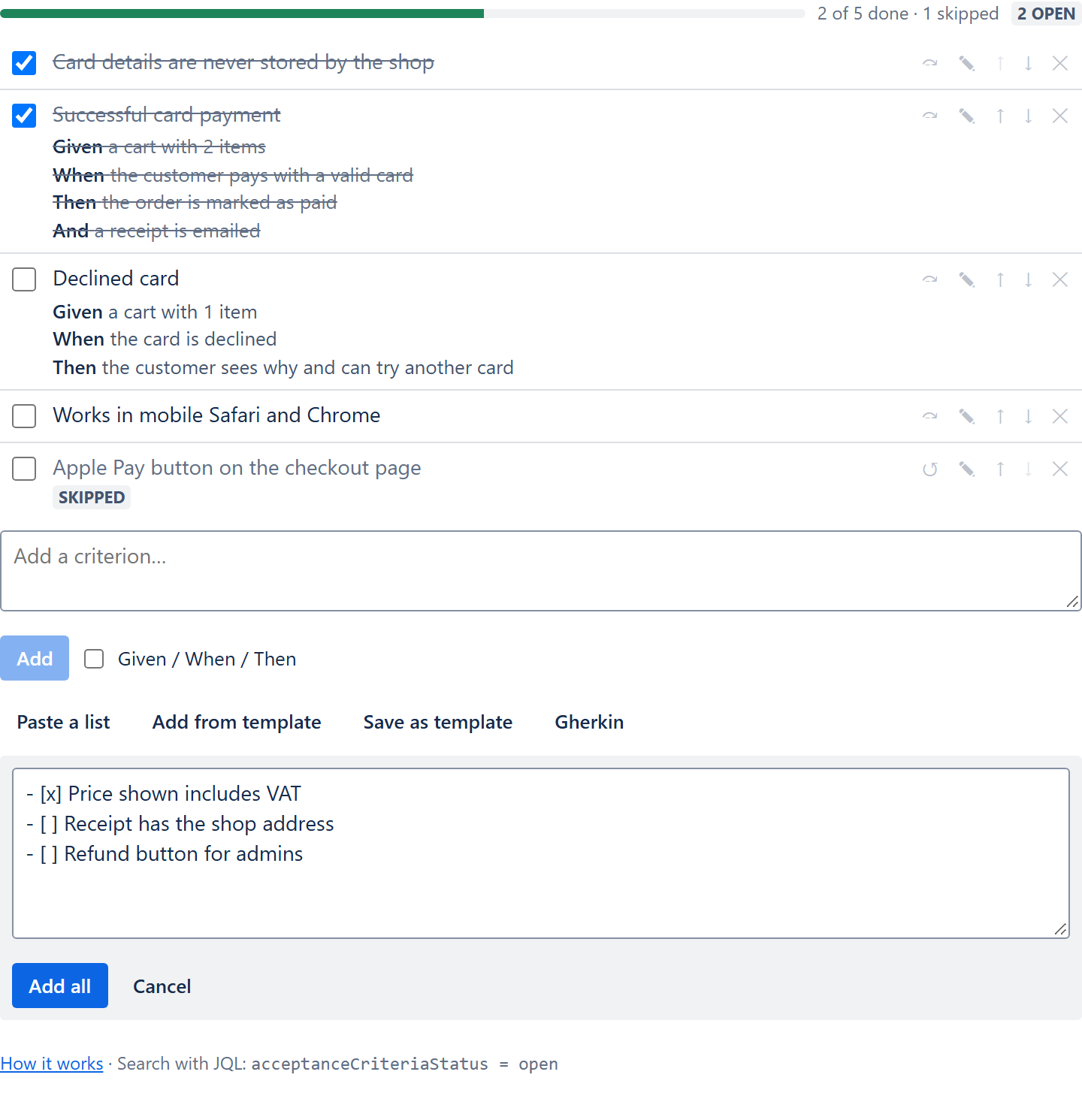
Lists and checklists
Without Given/When/Then lines, every non-empty line becomes one criterion.
- List markers are dropped:
-,*,•,+,1.,1). [x]at the start of a line makes the criterion done;[ ]leaves it to do.
- [x] Price shown includes VAT
- [ ] Receipt has the shop address
- [ ] Refund button for admins
From the Checklist Text field
HeroCoders' Acceptance Criteria and Checklists apps keep a copy of each checklist in a multi-line field called Checklist Text. Copy that field's value from the issue and paste it as it is:
[done]and[x]become done,[skipped]becomes skipped;[],[open]and[in progress]stay to do.- Lines starting with
>>(an item's description) are added to the criterion above, on a new line. - Header lines (
--- Header) are skipped, and the?of optional items is dropped.
--- Checkout
* [done] Price includes VAT
>> On the product page and in the cart
* [skipped] Gift wrap option
* [open] Refund button for admins
Templates work the same way: in the old app, open a template and switch to its editor view, copy the text, and paste it into a new template on the FeatureBridge Lite settings page.
Gherkin scenarios
As soon as the text has a line starting with Given, When or Then, it is read as Gherkin and each scenario becomes one structured criterion:
- A
Scenario:line (also Scenario Outline, Example) starts a criterion and gives it its title. - A Given that follows a When or Then also starts a new criterion, so scenarios without a Scenario line work too.
- And and But continue the step above.
- Feature, Background, Examples, tags, comments and table rows are skipped.
- A list line between scenarios becomes a plain criterion of its own.
Feature: Checkout
  Scenario: Successful card payment
    Given a cart with 2 items
    When the customer pays with a valid card
    Then the order is marked as paid
    And a receipt is emailed

  Scenario: Declined card
    Given a cart with 1 item
    When the card is declined
    Then the customer sees why and can try another card
Limits
One paste can add up to 100 criteria (the most an issue can hold). Scenario Outline examples are not expanded: the outline is added once, with its placeholders.