
FeatureBridge Lite
Acceptance criteria on every Jira issue
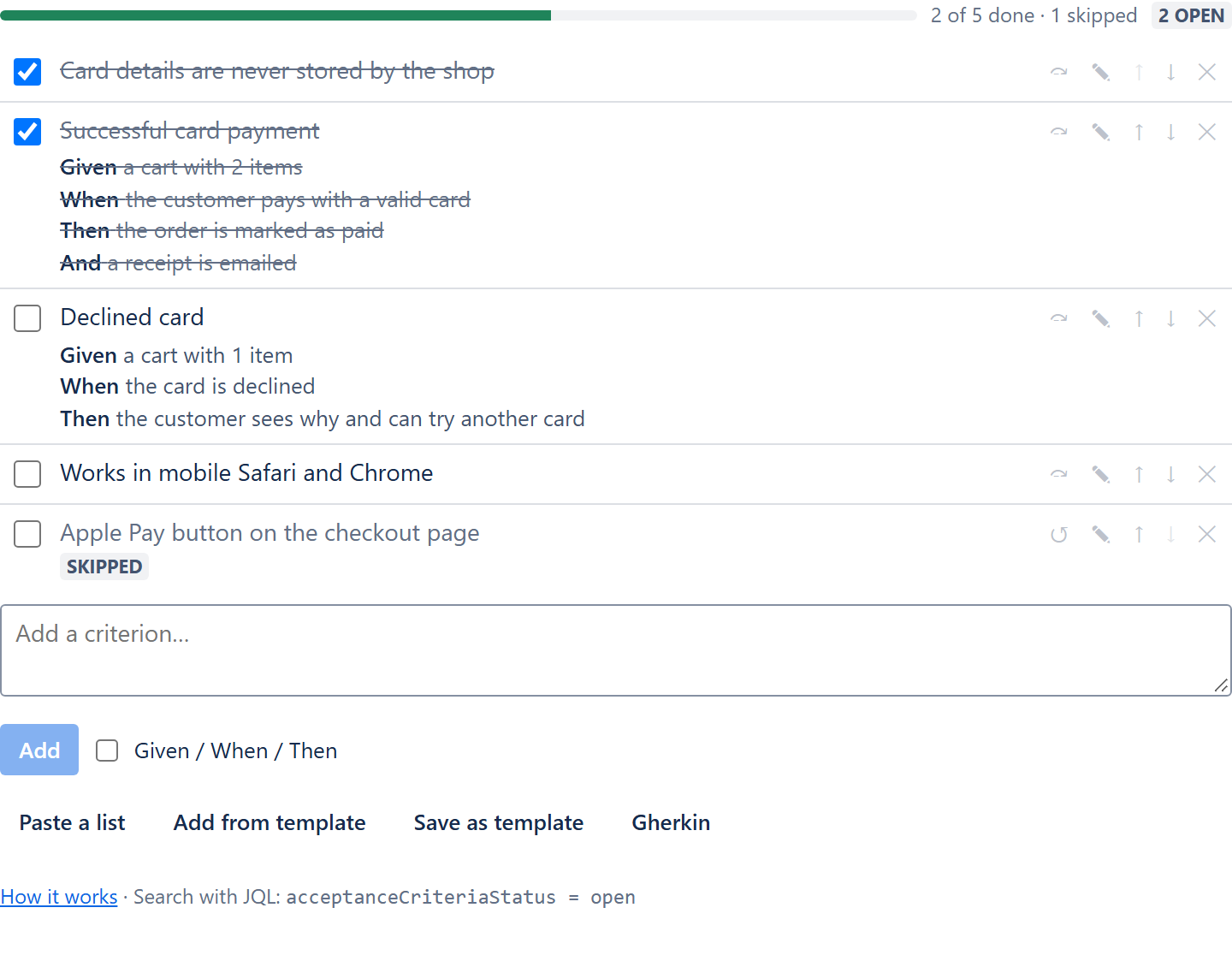
A checklist of what “done” means for the story, right on the issue: plain criteria or Given/When/Then scenarios, ticked off as the team builds it.
What it does
- A checklist per issue. Add criteria in the issue's main column or in the right-hand panel, which shows how many are finished on its button.
- Given / When / Then. Write a criterion as a scenario when the behaviour matters, or as one plain line when it does not.
- Done, skipped, to do. Tick a criterion off, or skip one that does not apply to this issue. Progress counts both.
- Paste a list. Markdown lists,
[ ]/[x]checklists and Gherkin from a .feature file become criteria in one go. - Templates. Save the criteria of one issue for the next, and give every new story or bug its project's template automatically.
- Keep unfinished work out of Done. A workflow validator refuses the transition while a criterion is still open.
- JQL. Find stories with open criteria, closed ones with criteria left, or stories without any:
acceptanceCriteriaStatus = open. - Gherkin export. Copy the criteria as a .feature file when the team automates them.
FeatureBridge Lite is free for every team. It runs on Atlassian Forge, stores the criteria with the issue in your Jira site and sends nothing outside Atlassian.
Start here
Install and find the panel →
Where the criteria appear and who can change them.
Write criteria →
Plain lines, scenarios, statuses and order.
Templates and defaults →
The same checklist on every new story.
Block Done until criteria are met →
One rule on the transition into Done.
From scenarios to tests
When the team starts automating its scenarios, FeatureBridge keeps Gherkin scenarios on Jira issues in two-way sync with GitHub, GitLab or Bitbucket and shows CI results per scenario. The Gherkin export of FeatureBridge Lite is the bridge between the two.