
Use Revenue Impact
Sort and filter with JQL
The three fields are ordinary Jira number fields: sort by them, filter on them and show them as columns.
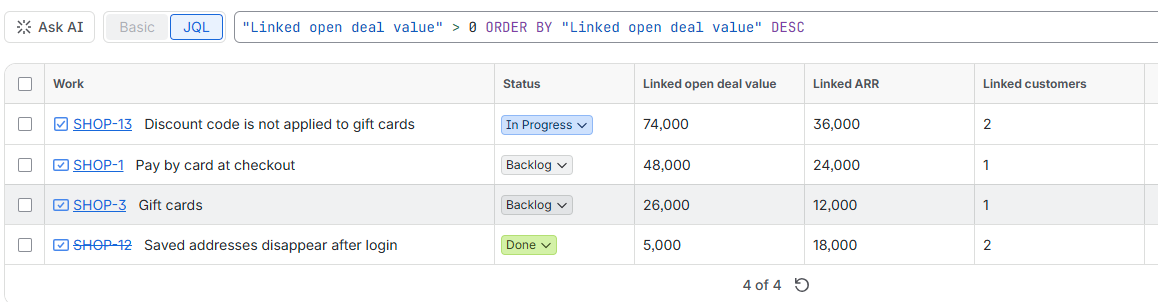
| Field | Value |
|---|---|
Linked open deal value | Total amount of the open deals behind the issue |
Linked ARR | Won revenue (ARR) of the customers behind the issue |
Linked customers | Number of distinct companies behind the issue |
Recipes
Most valuable open work first
statusCategory != Done AND "Linked open deal value" > 0
ORDER BY "Linked open deal value" DESC
Requests from at least three customers
"Linked customers" >= 3 ORDER BY "Linked customers" DESC, "Linked ARR" DESC
Bugs hurting your biggest customers
type = Bug AND statusCategory != Done AND "Linked ARR" >= 50000
ORDER BY priority DESC, "Linked ARR" DESC
Revenue behind this sprint
sprint in openSprints() AND "Linked open deal value" is not EMPTY
ORDER BY "Linked open deal value" DESC
Show the fields
In issue search, open the column picker and add the three fields. On boards, add them to the card layout; on dashboards, use a filter results gadget with these columns.
Use the field ID when names clash
If another field has the same name, use its ID instead, for example cf[10113]. You find the ID in the column picker or in Jira's custom field list.
When values change
Values update right after you link or unlink a record, and every hour for changes made in HubSpot (new deals, amounts, stages). An admin can also run Recompute now in the settings.