
Use FeatureBridge
Project overview
Living documentation: all features of a project on one page.
Open it
In a Jira project, open Scenarios in the project navigation (in the tab bar, or under More if the bar is full).
What it shows
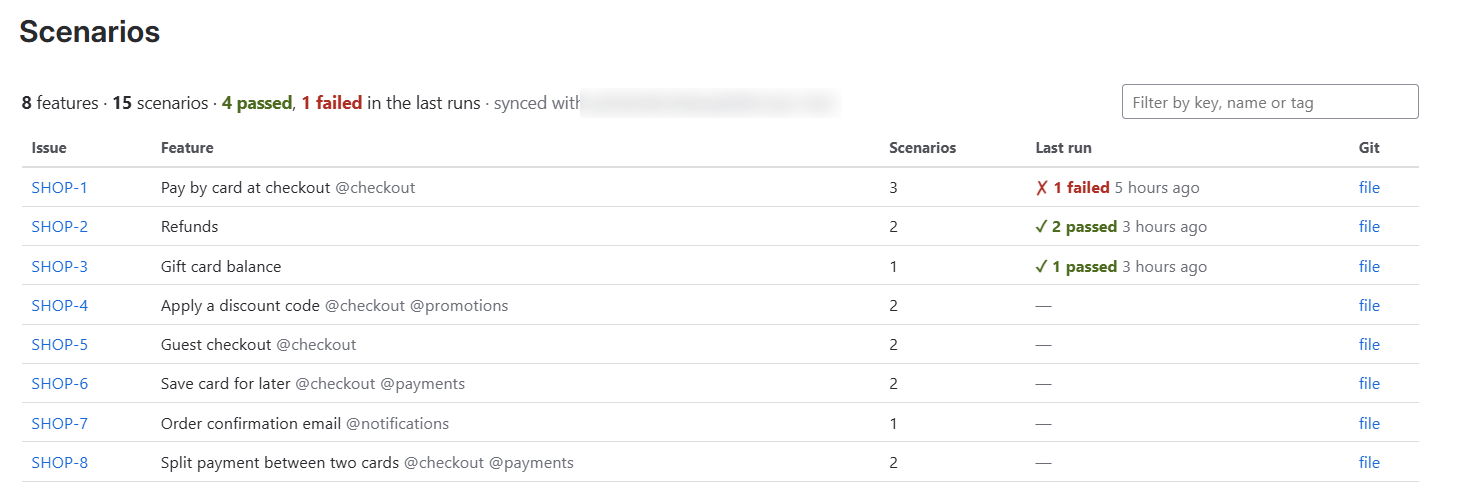
- A summary line: features, scenarios, passed and failed in the last runs, and the connected repository.
- One row per issue with scenarios: the feature name and tags, the number of scenarios, the last run and a link to the file.
- A filter box that matches the issue key, the feature name or a tag such as
@payments.
Who sees what
The page lists only issues the viewer is allowed to see in Jira, so it is safe to share with the whole team.