 FeatureBridge for Jira· Atlassian Marketplace app
BDD scenarios in Jira,
in two-way sync with Git
Write Gherkin on Jira issues and keep it in sync with the .feature files in GitHub, GitLab or Bitbucket. See the last CI result of every scenario. Nothing is ever overwritten silently.
Free for up to 10 users · Runs on Atlassian Forge
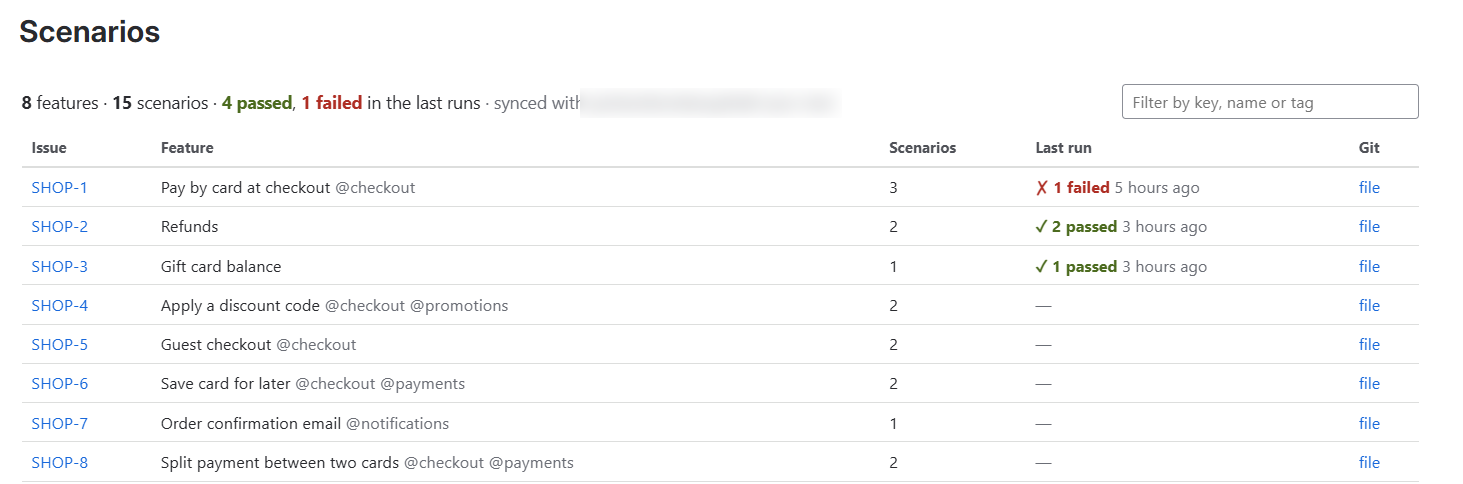
Living documentation: every feature of a project, its scenarios, the last test run and the file in Git.
Works with GitHub · GitLab · Bitbucket · Cucumber · SpecFlow / Reqnroll · Behave · Behat and any tool that writes Cucumber JSON
Write Gherkin right on the issue
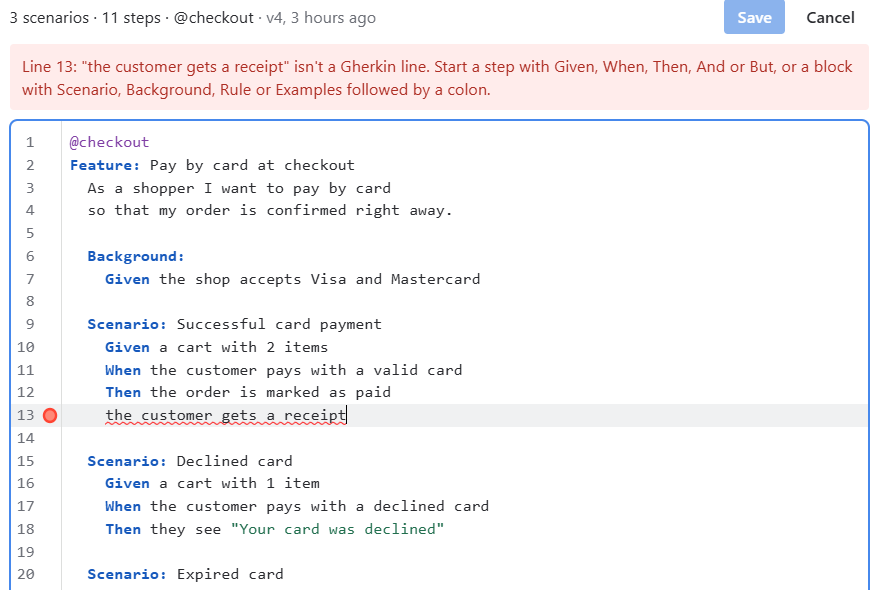
A Gherkin editor on every Jira issue with syntax highlighting. Mistakes are explained in plain words before anything is saved, and every save is a new version.
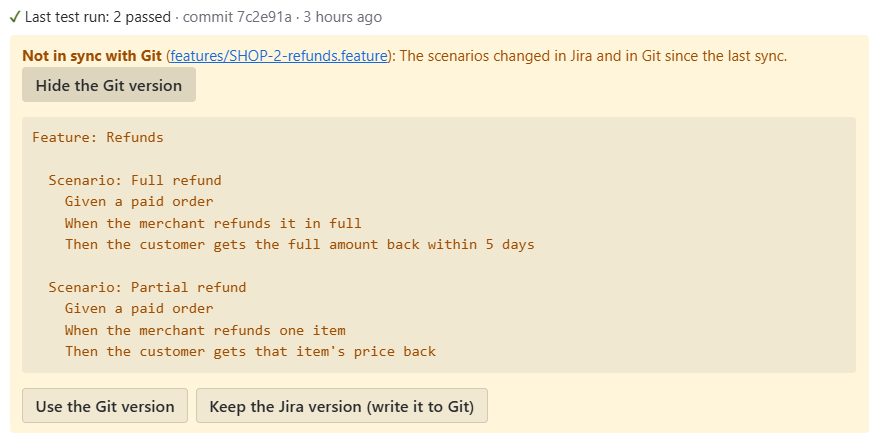
Two-way Git sync that never overwrites
Saving in Jira commits the .feature file. A push to your branch updates the issue within seconds. If both sides changed, you see both versions and choose.
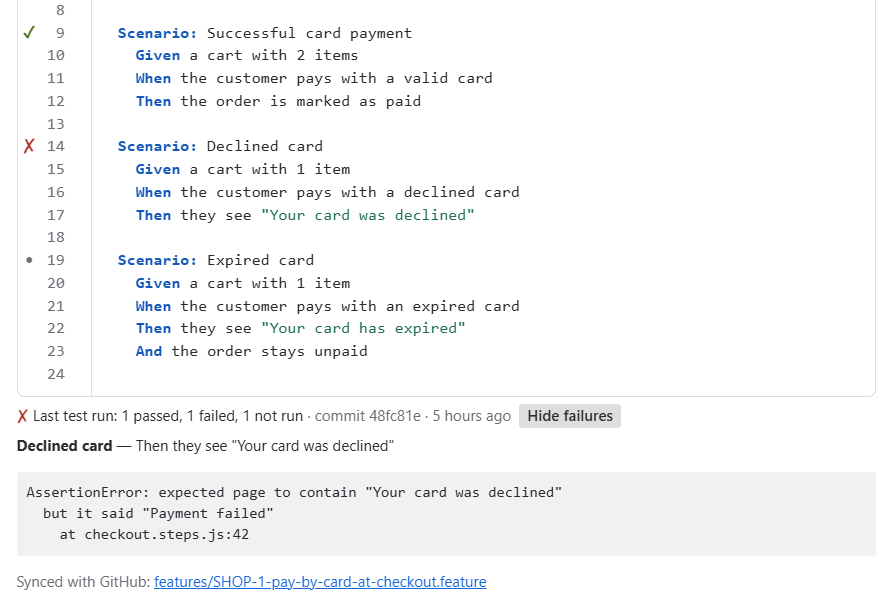
Test results on every scenario
Upload the Cucumber JSON report from any CI pipeline. Each scenario shows passed or failed, with the failing step and the error, right in the editor.
Behave Pro or Cucumber for Jira alternative
Moving from Behave Pro or Cucumber for Jira?
Bring your scenarios with you. Import Behave Pro's project export straight onto your issues, or connect the repository Cucumber for Jira uses and link the files that are already there. Behave Pro's CI upload headers are accepted, so your pipeline only needs a new URL and key.
Simple pricing, billed by Atlassian
Try it free on the Marketplace. If a licence lapses, your scenarios stay readable.
Your data stays yours
- Runs on Atlassian Forge. Scenarios and results are stored in your Jira site, not on our servers.
- Files go only to the repository your Jira admin connects.
- Tokens live in Forge secret storage. Webhooks and CI uploads are verified.
- No third-party analytics or tracking inside the app.
Questions
Do I need a Git repository?+
No. FeatureBridge works on its own: write and version scenarios in Jira, see CI results, browse the project page. Connect a repository whenever you want the .feature files in Git as well.
Which Git hosts are supported?+
GitHub, GitLab (gitlab.com) and Bitbucket Cloud. Self-hosted GitLab and Bitbucket Server are not supported yet.
What happens if a scenario changes in Jira and in Git at the same time?+
Nothing is overwritten. The issue shows both versions and someone with edit rights chooses which one to keep; the other side is updated.
Which test frameworks work with the CI results?+
Any tool that writes a Cucumber JSON report: Cucumber-JVM, cucumber-js, and the Cucumber JSON formatters of other Gherkin tools. One curl step uploads it after your tests.
Can I move from Behave Pro or Cucumber for Jira?+
Yes. Import Behave Pro's project export (.zip) onto your issues, or connect the repository Cucumber for Jira uses. Behave Pro's report upload headers are accepted, so CI only needs a new URL and key.
Where is my data stored?+
In your Jira site's Atlassian Forge storage, and in the Git repository you connect. We run no servers for the app and keep no copy of your data.
How much does it cost?+
Free for Jira sites with up to 10 users. Larger sites pay per user through the Atlassian Marketplace: $1.50 per user per month for 11–100 users, less per user above that.
Put your scenarios where the work is
Install FeatureBridge from the Atlassian Marketplace. Free for teams of up to 10.