
Use it
Reveal and write estimates
The facilitator reveals the votes when the team is done sorting.
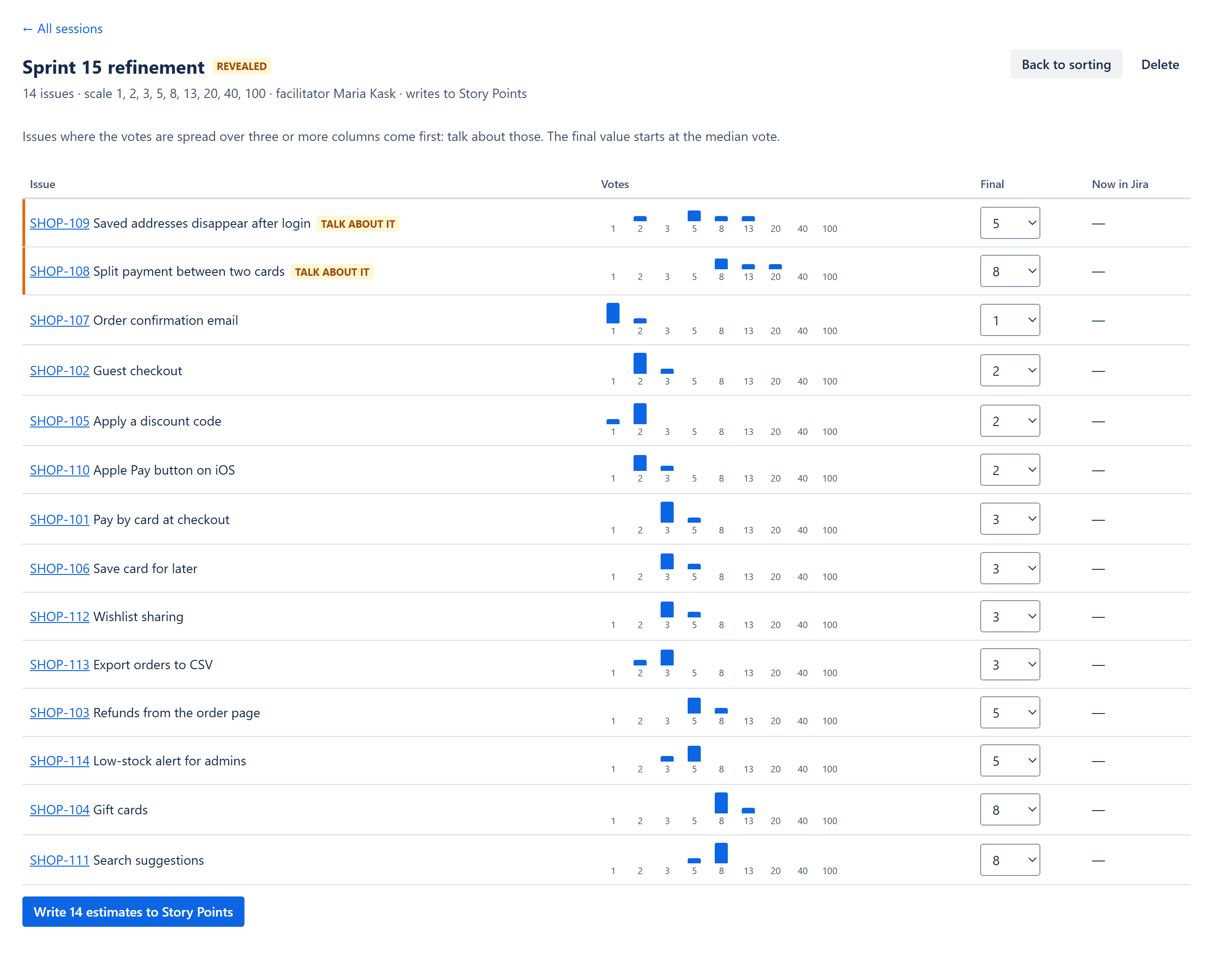
Reading the results
- Votes. A small chart per issue: how many people put it in each column.
- Talk about it. The votes span three or more columns. These issues come first, widest spread first.
- Final. Starts at the median vote. The facilitator can choose another column or Skip to leave the issue unchanged in Jira.
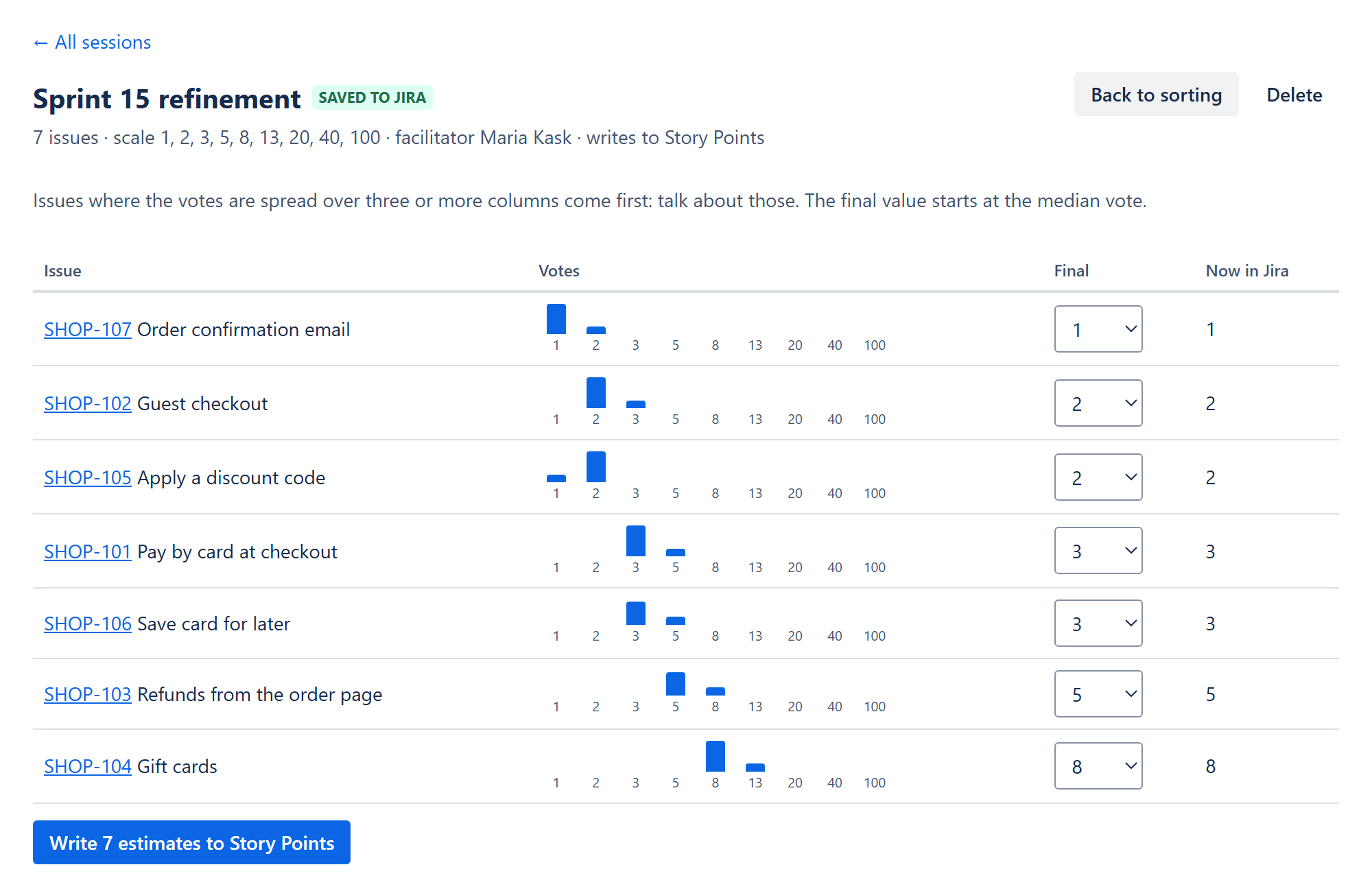
- Now in Jira. The value currently in the field, so you can see what will change.
- Issues nobody placed come last, with no value.
Writing to Jira
Click Write N estimates to …. Each value is written with the facilitator's Jira permissions. If Jira refuses an issue (for example, you may not edit it, or the field is not on its screen), the page lists that issue and the reason; the others are still written.
Changing your mind
Back to sorting reopens the board with everyone's placements kept. Reveal again when ready.
Only the facilitator
Revealing, choosing final values, writing and deleting are for the person who created the session and for Jira administrators.