
Get started
Run your first session
About a minute to set up. The sorting itself takes as long as your team needs.
Install
A Jira administrator installs YTI Magic Estimation from the Atlassian Marketplace (Apps → Explore more apps).
Create a session
Open your project and choose the Magic Estimation tab.
If the project has many tabs, it is under More.
Click New session.
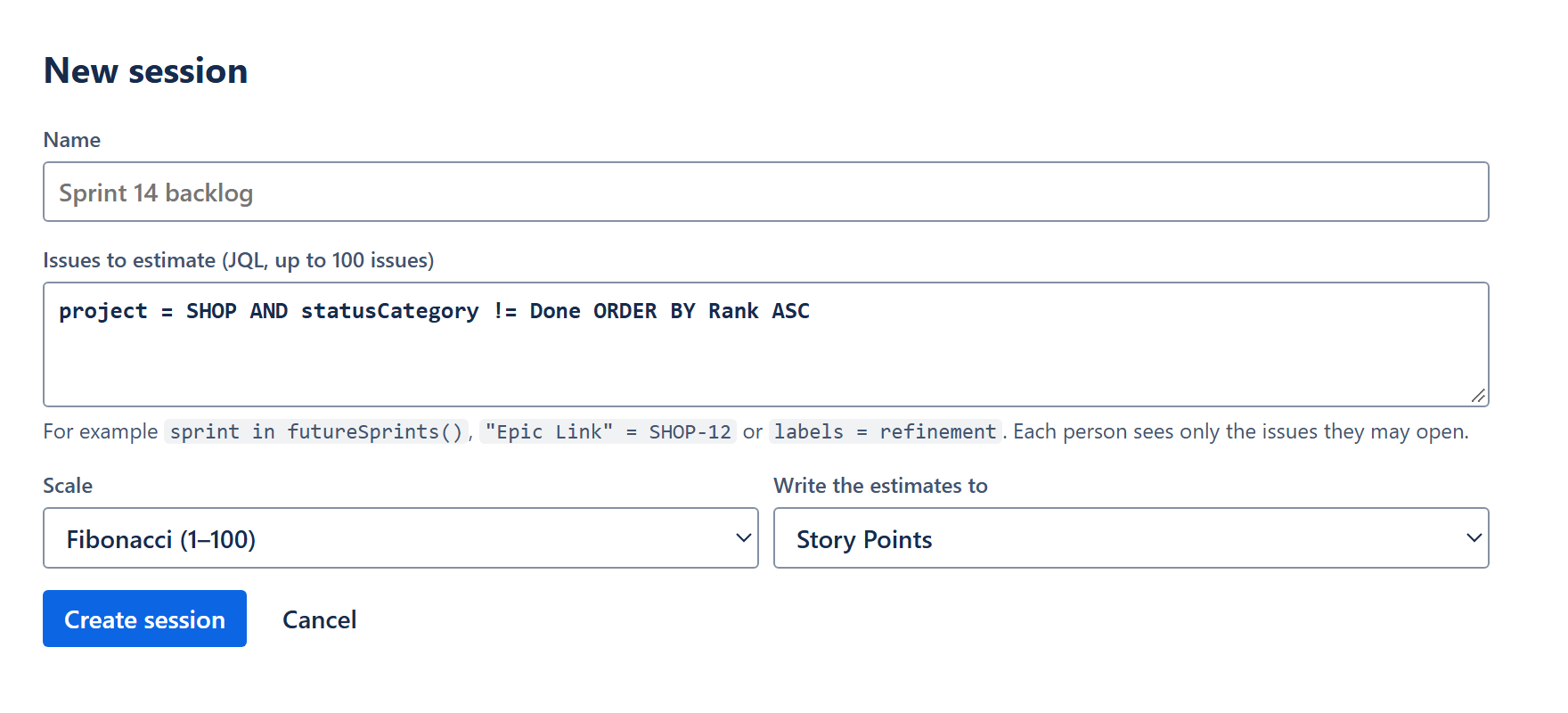
Give it a name and a JQL query that finds the issues to estimate (up to 100).
The query starts as the open issues of the project. Narrow it to a sprint, an epic or a label, for example
sprint in futureSprints().Choose a scale and the field to write to, then click Create session.
Story point fields are chosen for you when the project has one. See Scales and fields for the options.
Sort, reveal, save
Share the project page with the team and ask everyone to open the session and sort the issues.
Sorting can happen during a meeting or on everyone's own time. The page shows how many issues each person has sorted.
When everyone is done, the facilitator clicks Reveal the votes.
Talk about the issues marked “Talk about it”, then set or keep the final values.
Click Write estimates to …. The values appear in Jira right away.
Who is the facilitator?
The person who created the session. A Jira administrator can also reveal, write and delete.