Guide · Agile estimation
Magic estimation in Jira Cloud, step by step
Planning poker takes a few minutes per issue. Magic estimation, also called affinity or silent estimation, sizes a whole backlog in one session: everyone sorts issues into size columns in silence, and the team only talks about the issues where people disagree.
How the method works
Pick the issues and a scale
30 to 100 backlog items and a scale such as Fibonacci 1–100 or T-shirt sizes.Sort in silence
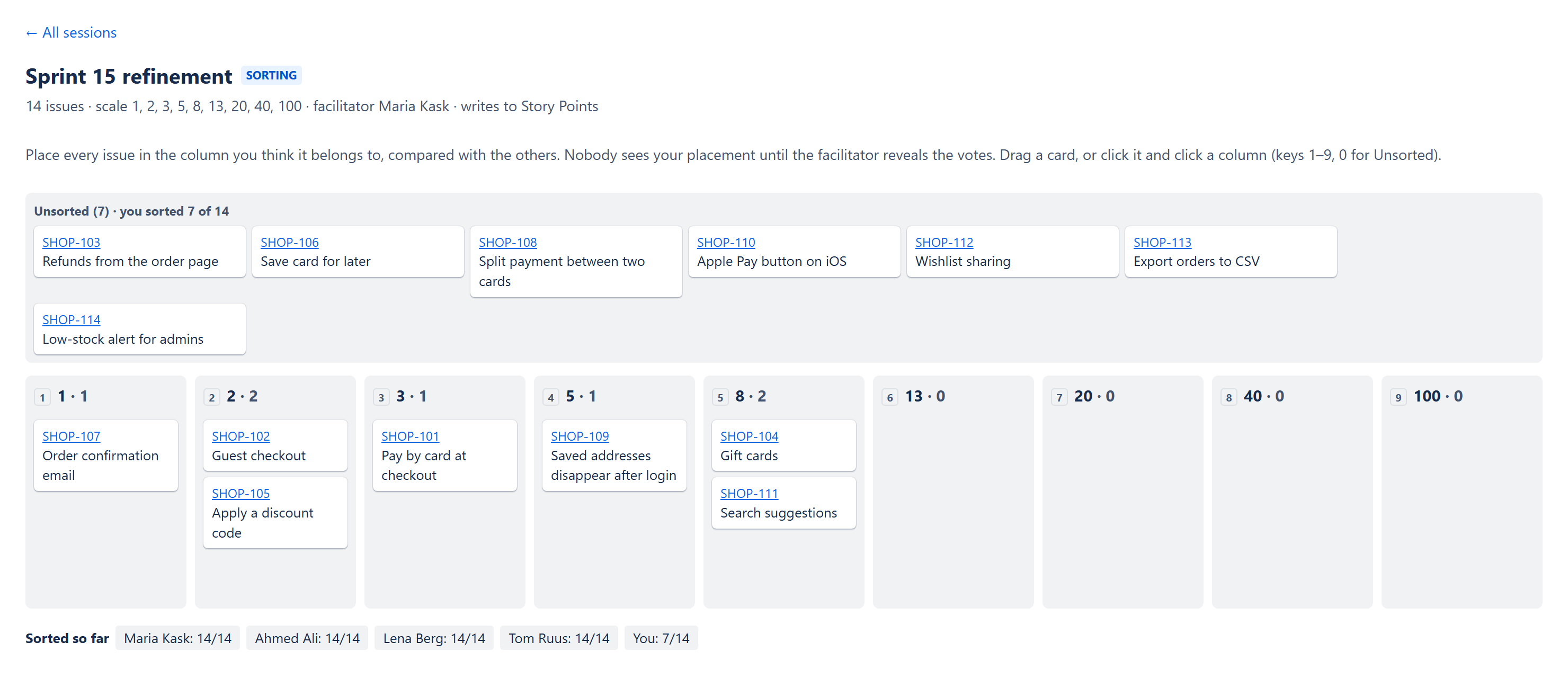
Each person places issues into the size columns on their own, without discussing. Ten to fifteen minutes is usually enough.Reveal
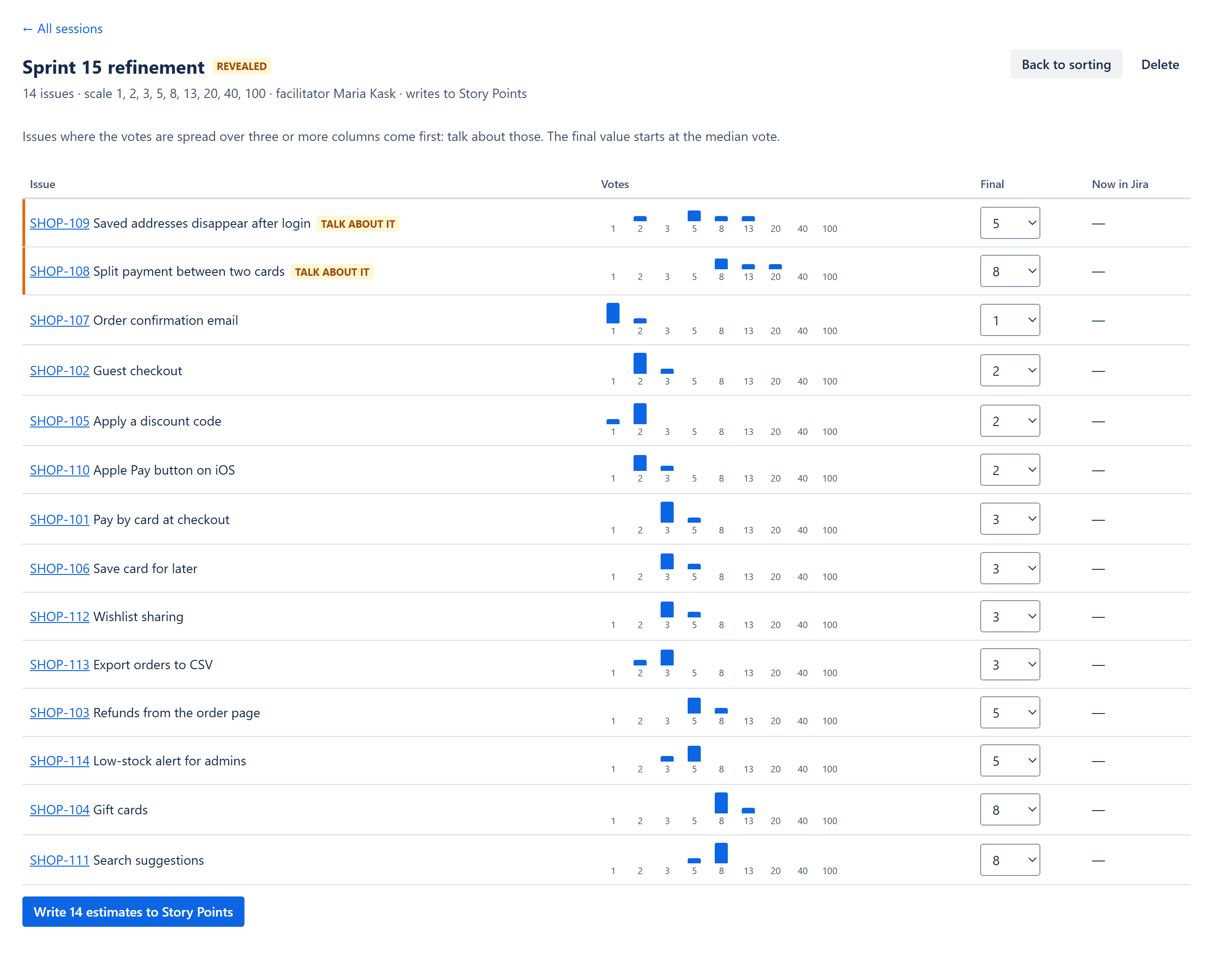
The facilitator shows everyone's placements at once. For most issues the votes agree, and the median becomes the estimate.Talk only about the spread
Issues where votes span three or more columns are the ones worth a conversation: someone knows something the others don't.Write the estimates
The agreed values go into Story points (or another number field).
Why it is fast
The team spends discussion time only where opinions differ. A 60-issue backlog that would take two planning-poker sessions often takes 30–40 minutes.
Running it remotely in Jira Cloud
On a physical wall you would use sticky notes. In a remote team the sorting has to happen somewhere everyone can see the same issues and nobody sees the others' placements before the reveal. Spreadsheets and whiteboards work, but you copy issues in and estimates back out by hand.
YTI Magic Estimation (made by us, YTI Digital) does this inside Jira: a session is a JQL query (up to 100 issues), a scale and the field to write to. Everyone who can browse the project sorts on a board; placements stay hidden until the facilitator reveals them; the results list the spread issues first; and the agreed values are written to Jira as the facilitator, so Jira's own permissions decide what can be changed.
Tips from real sessions
- Calibrate first. Put two or three already estimated issues into the session so everyone has a reference point.
- Use the same scale as your velocity. If your sprints are planned in Fibonacci story points, sort in Fibonacci columns.
- Don't argue about neighbours. A 5 versus an 8 is fine; talk about the 3 versus the 20.
- Keep the facilitator neutral. They reveal and choose the final value only where the team agreed to discuss.
Coming from Magic Estimations or another estimation app?
Both can run side by side: install, run your next refinement in the new app with the same scale, and write to the same field. Estimates already in Jira stay where they are. Details: switching from another app.
Read more: YTI Magic Estimation docs.