Guide · Jira + Discord
Jira notifications in Discord without Zapier
Jira Cloud has no Discord integration, and its webhooks can't post to Discord directly because the message format is different. You don't need Zapier, though: here are two ways that work.
Option 1: an Automation rule that calls the Discord webhook
Create a webhook in Discord
In the channel, Edit channel → Integrations → Webhooks → New webhook, then Copy webhook URL.Create a rule in Jira
In Project settings → Automation create a rule, for example trigger Work item created.Add the action Send web request
URL: the Discord webhook URL. Method: POST. Body: Custom data, headerContent-Type: application/json, and this body:
{
  "content": "New {{issue.issueType.name}} {{issue.key}}: {{issue.summary.jsonEncode}}\n{{issue.url}}",
  "allowed_mentions": { "parse": [] }
}
Two details matter. .jsonEncode escapes quotes and line breaks in the summary, so they can't break the JSON. And allowed_mentions with an empty parse list stops an issue summary that contains "@everyone" from pinging the whole server.
Where this gets painful
One rule covers one event. Status changes, comments, assignments and releases each need their own rule and JSON body, and every text value needs .jsonEncode. Ten quick edits mean ten messages. And the webhook URL, which is a password for the channel, sits in plain text in every rule.
Option 2: an app that does the formatting for you
Chatline for Discord (made by us, YTI Digital) connects a Jira site to Discord channels through the same channel webhooks, but handles the parts that are hard to do by hand:
- A JQL filter per channel:
project = SHOP AND priority in (Highest, High)to the on-call channel, everything else to the team channel. - Quick edits bundled: several changes to one issue within a few minutes become one message.
- Sprints, releases and a daily digest, plus time-based reminders.
- Safe by default: no @everyone or role pings, restricted comments and issues with a security level are never posted, and the webhook URL is kept in Forge secret storage, not in a rule.
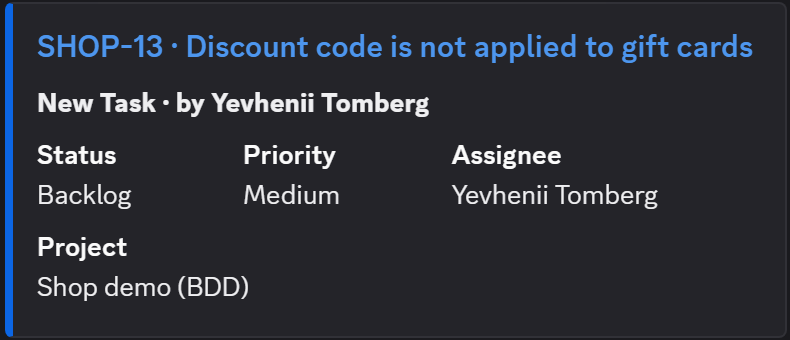
Setup takes a few minutes: paste the channel webhook URL in the app settings, pick events and a JQL filter, and send a test message.
Which one to use
- One project, one event (for example "tell us about new bugs"): the Automation rule is enough.
- Several channels, several event types, or people complaining about noise: use an app.
Read more: Chatline for Discord docs.