Guide · Project planning
Gantt chart in Jira Cloud: the native options and when you need more
Jira Cloud has two timeline views of its own. They are good for showing when epics happen. When you need a schedule that moves by itself when work slips, with a critical path and a baseline to compare against, you need a Gantt chart.
Option 1: the Timeline in Jira projects
Every Jira Software project has a Timeline tab (it used to be called Roadmap), on all plans including Free. It shows epics and their child issues as bars by start and due date, lets you drag them, and draws dependencies between issues, warning when one starts before the issue it depends on ends.
- Good for: a quick picture of when each epic happens, in one project.
- Not there: moving dependent work automatically, lag, working days and holidays, critical path, baselines.
Option 2: Plans in Jira Premium
Jira Premium and Enterprise add Plans (formerly Advanced Roadmaps): timelines across several projects and teams, scenarios to try changes before saving them, capacity by team and sprint, and a dependency view.
- Good for: portfolio planning across teams and sprints, if your site is on Premium.
- Not there: a classic critical path, baselines with variance, or finish-to-start scheduling with lag in working days. Its auto-scheduling places issues into sprints by team capacity, which is a different job.
What a Gantt chart adds
| Need | Timeline | Plans (Premium) | Gantt app |
|---|---|---|---|
| Bars from start and due dates, drag to change | Yes | Yes | Yes |
| Dependencies from issue links | Yes | Yes | Yes |
| Successors move when work slips | No | No (sprint scheduling instead) | Yes |
| Start-to-start, finish-to-finish, lag | No | No | Yes |
| Working days and holidays | No | Partly (sprints) | Yes |
| Critical path and slack | No | No | Yes |
| Baselines: planned against actual | No | No (scenarios instead) | Yes |
| Price | Included | Premium plan | App licence |
Before you buy anything
If you only need to see epics over time, the Timeline is enough and free. A Gantt chart pays off when dates depend on each other and you have to answer "if this slips a week, what moves and does the release date hold?"
Option 3: a Gantt app inside the project
YTI Gantt for Jira (made by us, YTI Digital) adds a Gantt tab to every project. It reads the start and due dates and the issue links your issues already have, so there is nothing to import, and every change is written straight back to Jira as the person making it.
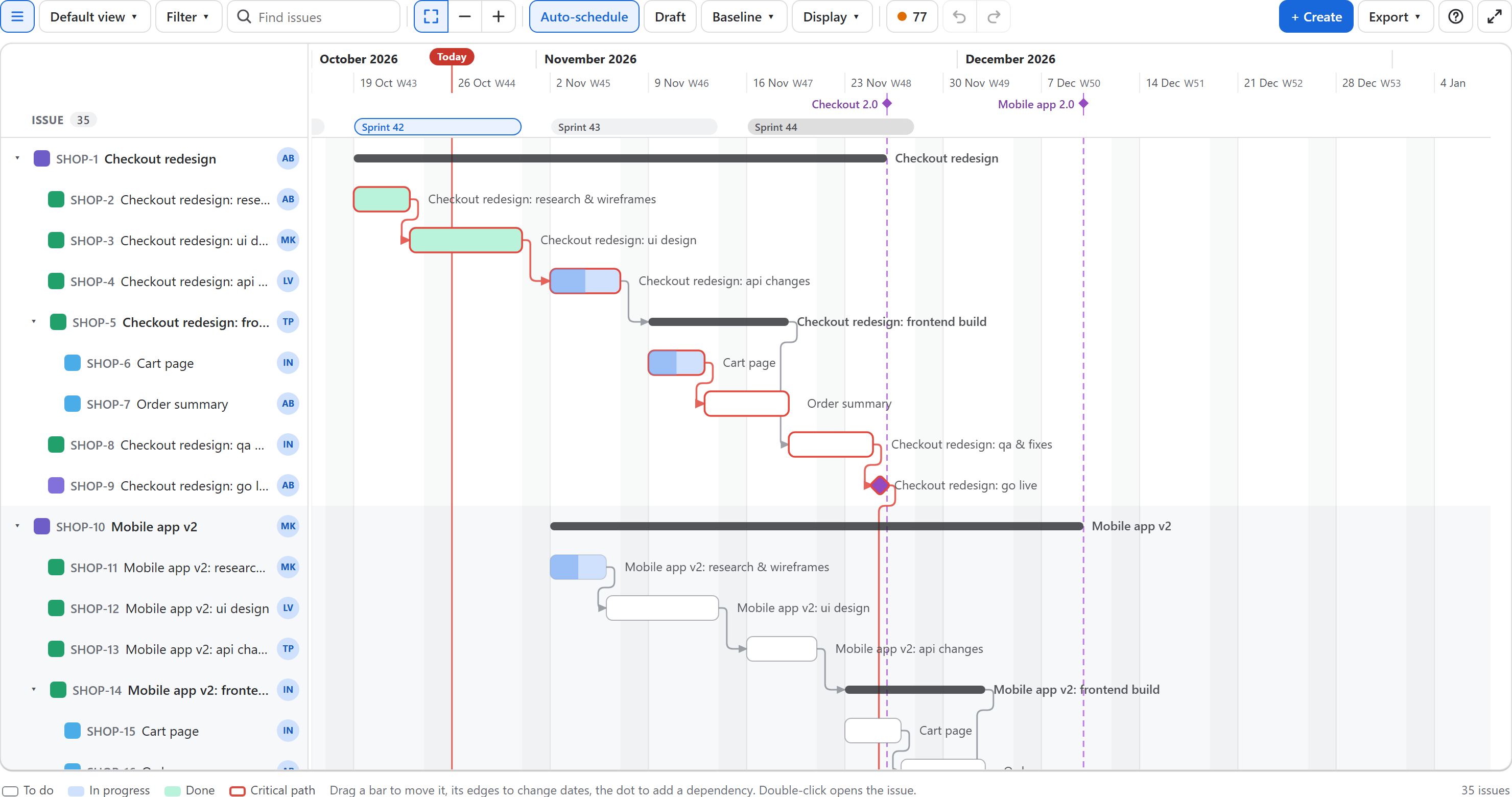
- Drag to move or resize; dates snap to working days and holidays from your calendar.
- Four dependency types with lag; successors are pushed automatically, and links to an epic apply to its issues.
- Critical path and slack; plan health scores the plan and lists broken dependencies with a one-click fix.
- Baselines with grey ghost bars and the variance in working days.
- A draft mode to try changes first and publish them together.
- JQL across projects, grouping by assignee, views your team opens from a link, CSV export.
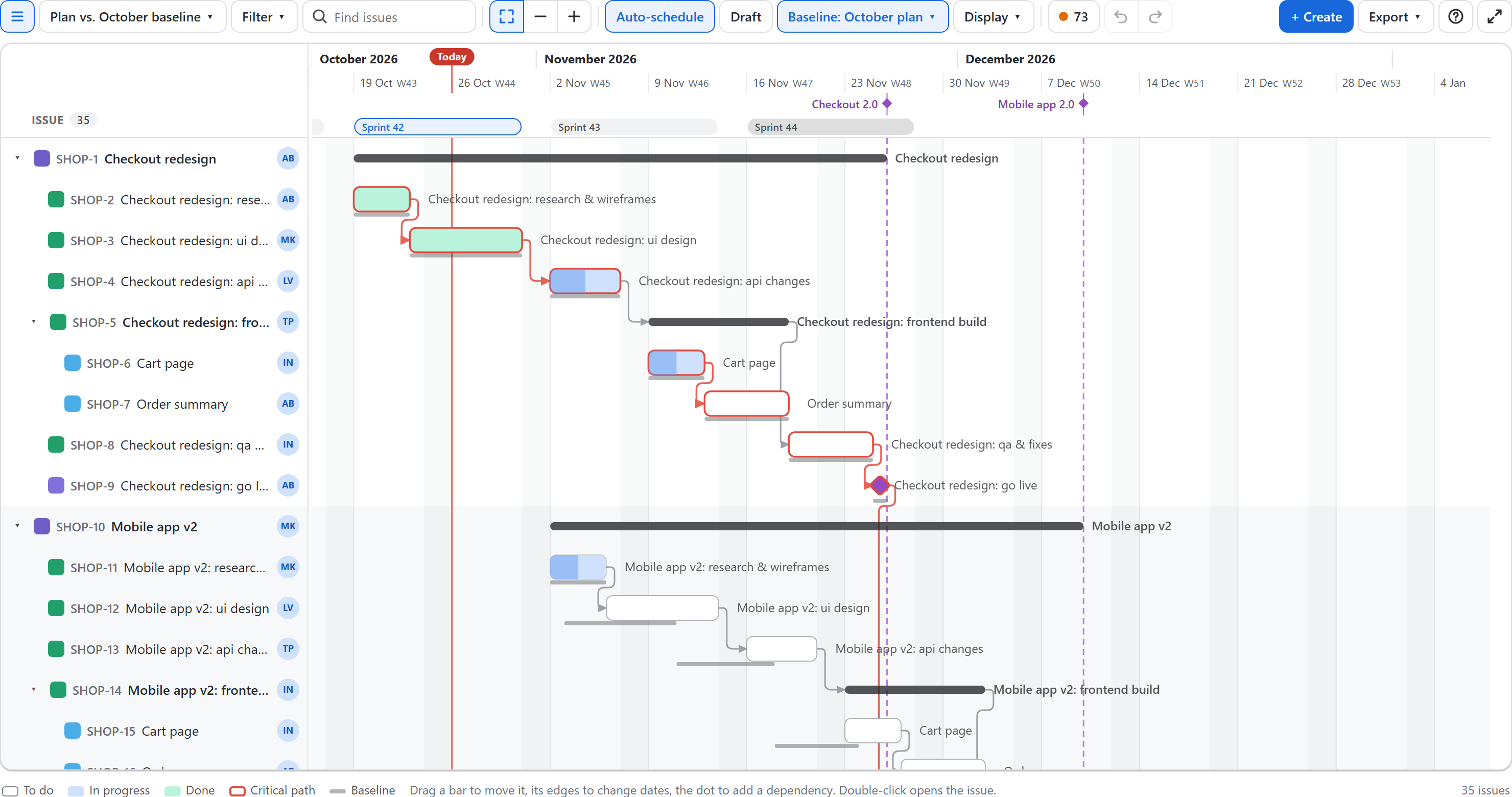
It runs on Atlassian Forge with no servers of its own and is free for up to 10 users. Read more in the YTI Gantt docs, or see how to move from a Connect Gantt app.