Guide · Jira dashboards
Show one big number with a target on a Jira dashboard
“How many open bugs do we have, and is that more than last week?” Every team wants that number at the top of its dashboard. Jira's own gadgets get close, but none shows one big number with a target.
What the built-in gadgets can do
| Gadget | Good for | Missing |
|---|---|---|
| Filter Results | The list of issues a filter finds, with a total at the bottom | No big number, no target |
| Issue Statistics | Counts per value of one field (per assignee, per priority) | One number for the whole filter, a target |
| Two Dimensional Filter Statistics | A small table of counts | Same |
| Created vs Resolved | Trend of created and resolved issues | A single current value with a goal |
You can get the count from any of them, but it is small text in a list or a table, and nothing turns red when you miss the goal. For a wallboard or a leadership dashboard, people want one number they can read from across the room.
A free gadget for one number
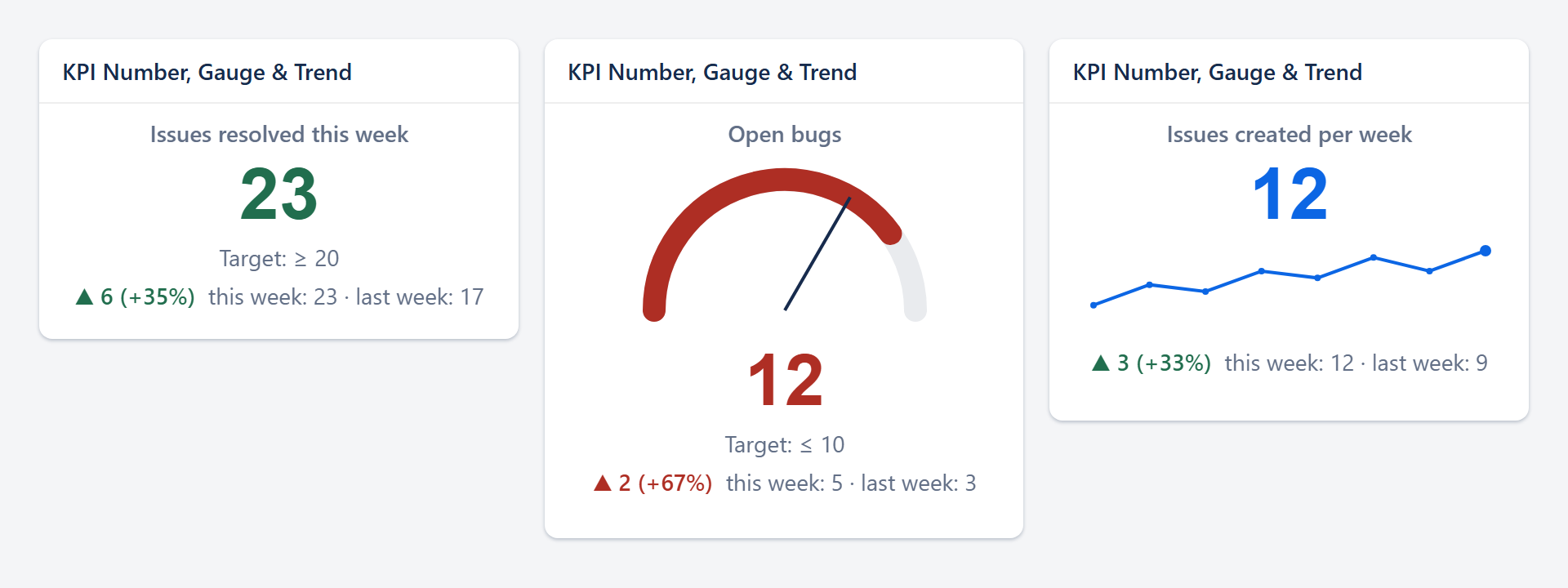
YTI KPI Gadget (made by us, YTI Digital, free) shows one JQL number per gadget: a count of issues or the sum of a number field such as story points. You can add a target with a green, amber and red gauge, or show the change against last week or last month. It runs as the person looking at the dashboard, so everyone sees numbers for the issues they may see, and it stores nothing.
Add the gadget
On your dashboard choose Edit → Add gadget, search for KPI, choose Add.Enter the JQL
For exampletype = Bug AND statusCategory != Done. The gadget checks the query before saving.Pick the look
Number, gauge (with a target and which direction is better) or trend.
KPIs you can copy
Open bugs (lower is better, target 20):
type = Bug AND statusCategory != DoneIssues resolved this week (compare with last week):
resolved >= startOfWeek()Story points still open in the current sprint (sum of Story point estimate):
sprint in openSprints() AND statusCategory != DoneSupport requests waiting for more than two days:
statusCategory != Done AND created <= -2d AND type = "Service request"Several numbers in a row
Add one gadget per KPI and place them side by side in a three-column layout: open bugs, resolved this week, open story points.
Things to know
- Counts use Jira's fast approximate count, which is exact for normal filter sizes.
- Sums read up to 1,000 issues; the gadget says so if a filter finds more.
- Each viewer sees their own number: a person without access to a project does not count its issues.
Read more: KPI Gadget docs.